
Send a Fax from the Manager Portal
- Log in to the Manager Portal
- Click on the Fax navigation icon as shown below. If you don’t see this button, the fax is not configured or enabled on your account
 Click to Zoom
 - Note that a Fax Number should contain your fax number. Click SEND FAX.

- In the Send Fax modal window. Click BROWSE and attach the document you want to fax. The Caller ID should show your fax number. Enter a 10-digit fax number to where you want to send the fax to. Make sure to exclude any special characters.
- Click SEND to send the fax
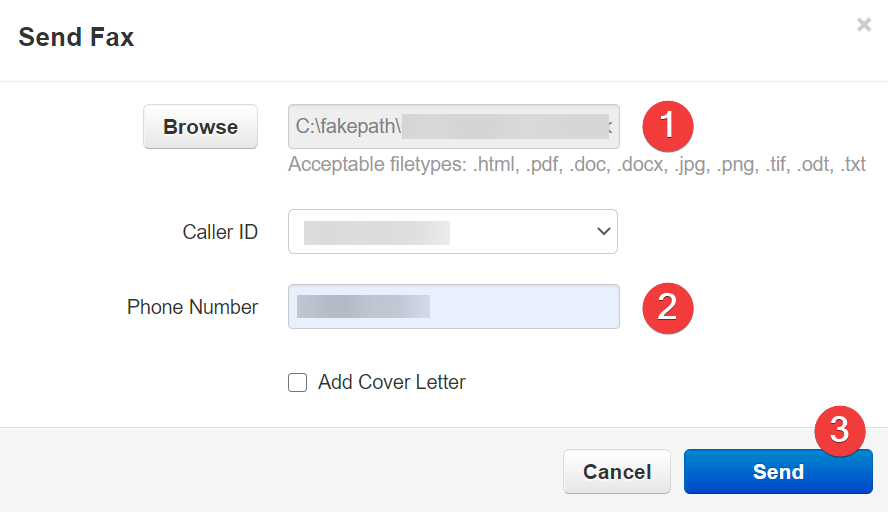
(Optional) – Add a Cover Letter
- Example fax with the cover letter

- Click

- Populate the following fields
